Deploying Our Blog in a Serverless Way

Introduction
In this series, I show you how I developed this blog from scratch, and in the previous article, I explain what an SSG is and why I selected Hugo as the main tool for this blog. Now that we know how we’re going to generate our website, we will see how to deploy it, and that’s what this article is all about.
Different ways to deploy our website
There are several ways to deploy a static website (HTML, CSS, and Javascript), from the most traditional ones like using NginX, to deploy it serverless, which is my favorite approach. Yes, I’m a fan of everything that can be done without servers, I mean, serverless applications, and one of my goals with this blog is for you to learn about it. But let’s get to the point, in this article, I will teach you how you can deploy your static websites using S3 Buckets and Cloudfront Distributions.
S3 Buckets
Imagine you have a ton of videos, images, documents, backups, and many other types of files. An S3 Bucket is like a giant folder where you can store all of this, and it’s provided by AWS. S3 stands for Simple Storage Service, and by using it, you have a folder in the cloud where you can securely store and retrieve files (as long as you have permissions).
One of the most common uses of S3 buckets is the following: if your web application has a product entity, which has an assigned image, the first thing is that this image should not be stored in the database you are using because doing so would greatly slow down queries. So, as an alternative, the image is stored in an S3 bucket, and in the database, instead of having an image field, you would have an image_url field, with the URL pointing to the address where the image was saved.
Perfect, but what does all this have to do with our website? The point is that our S3 bucket is where we will store all the static files that our SSG will generate once we build our website. Basically, we will store our HTML, CSS, and Javascript files in our S3 bucket.
Cloudfront Distributions
Now that we have our website files stored, we need to distribute them, and for this, the best thing is to use a CDN (Content Delivery Network). The responsibility of the CDN is to distribute our content effectively regardless of the location from which our website is accessed, whether it’s from Latin America or the Middle East. Cloudfront distributions are the CDNs we have available in AWS. In another article, I will provide a detailed explanation of Cloudfront, but for now, what we know is enough.
Why use both services?
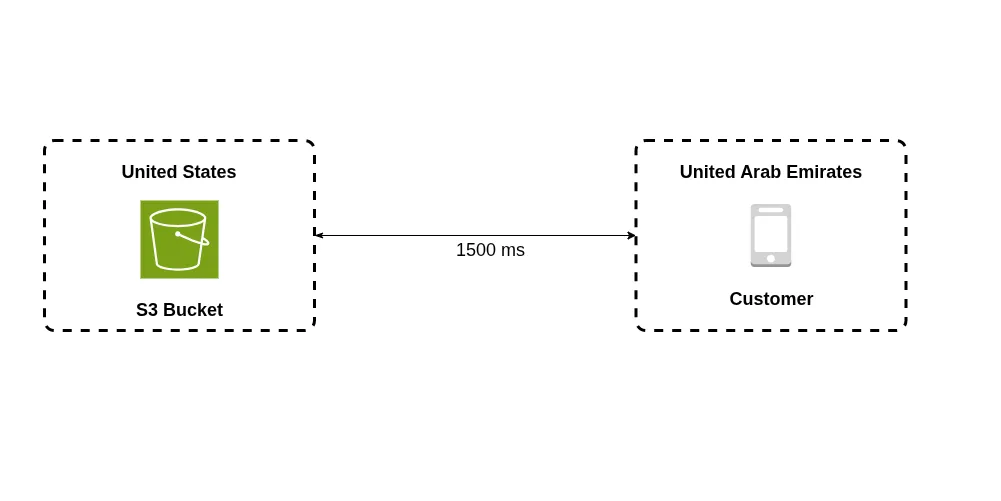 In the image above, we see what our infrastructure configuration would be if we didn’t use a Cloudfront distribution. As we can see, in this example, we assume that our S3 Bucket is located in the United States and the client wishing to access our website is in the United Arab Emirates. This results in the data transfer alone between the client and our Bucket taking more than a second. The most important takeaway here is to understand that with this setup, data transfer between the client and our Bucket can take quite a while.
S3 Buckets in AWS are global, meaning they are not deployed in a specific region from the AWS console, but this doesn’t mean they don’t have a specific physical location.
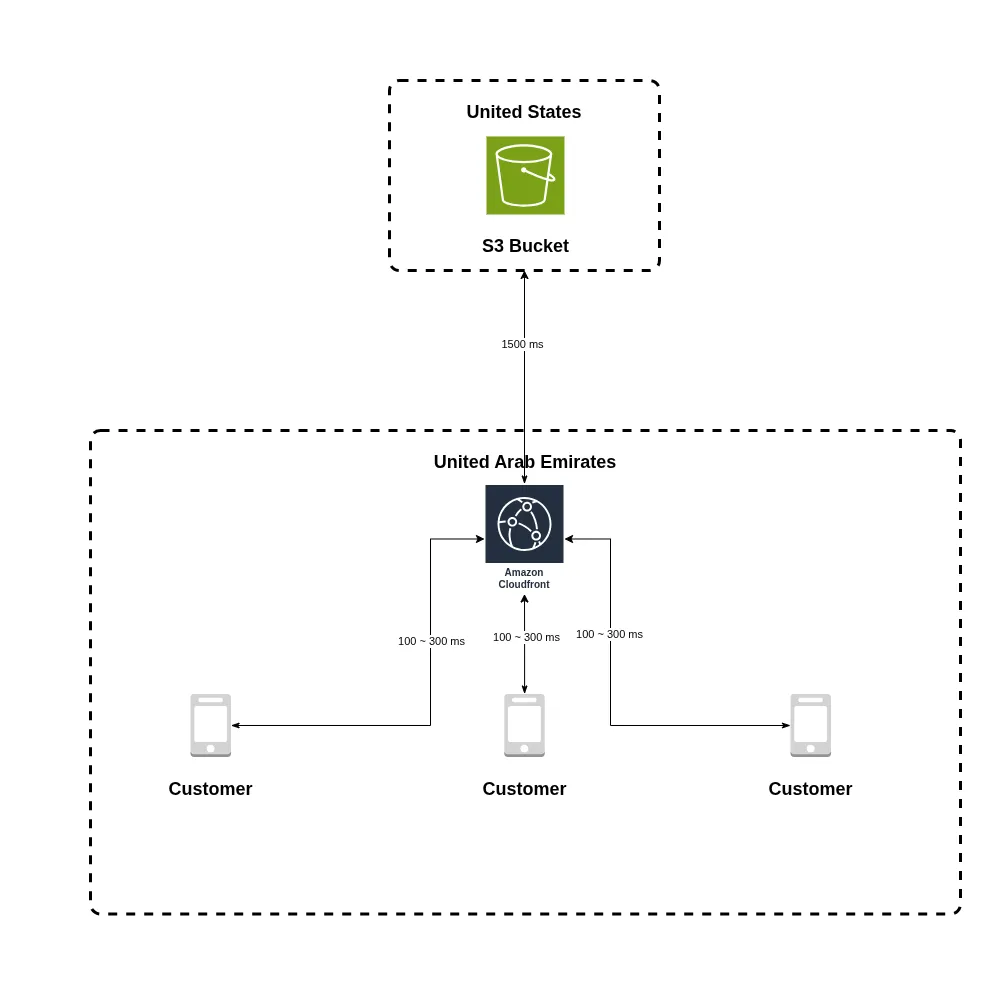 In the image above, we can see the advantages of using a CDN to distribute our website. Let’s look at it this way: the Cloudfront distribution acts as a cache. That is, the first time a client requests the website files, the Cloudfront distribution fetches them from our S3 Bucket, and this transfer takes the same amount of time as in the previous configuration. However, from this moment on, all subsequent requests from other clients will take considerably less time because the static files are readily available and don’t need to be fetched from the S3 bucket.
Cloudfront uses AWS’s so-called
edge locations. Basically, these are points like the one in the diagram distributed around the world. This way, if you use a Cloudfront distribution, your clients will connect to the nearestedge location. In our diagram, this would be theedge locationin Dubai. You can access maps with AWSedge locationsat this link.
See you soon
That’s all for now. In the next article, I’ll show you how I automated the deployment of this blog and tell you about a navigation-related problem I encountered and how I solved it. Remember, it would really help me if you drop a comment or share this article with your friends.